

Overview
Query tags are key-value pairs embedded in SQL comments written into each statement to the database. PlanetScale parses these tags automatically and uses them to:- Show filtered tag-based performance data alongside individual query executions in Insights
- Enable tag-based rules in Database Traffic Control, so you can set resource budgets for specific applications, features, or routes
Tag format
A tag comment is appended to the SQL statement inside/* */ delimiters. Each tag is a key='value' pair, and multiple tags are separated by commas:
- app:
web - route:
api-export
Key and value limits
After URL-decoding, tag keys and values must match[\w\-./:,]+: alphanumeric characters, underscores, dashes, periods, slashes, colons, and commas. Keys or values containing other characters are not accepted as query tags.
Keys may be up to 65 bytes. Values may be up to 1024 bytes.
The SQLCommenter specification URL-encodes keys and values without limiting the source character set. PlanetScale applies these character and length limits when ingesting tags.
Where tags appear in PlanetScale
Insights
Queries in the Insights page can be filtered by tags by using the search bar. For example, to filter for queries with the tagaction='analytics', use the following syntax:
Insights → Tags
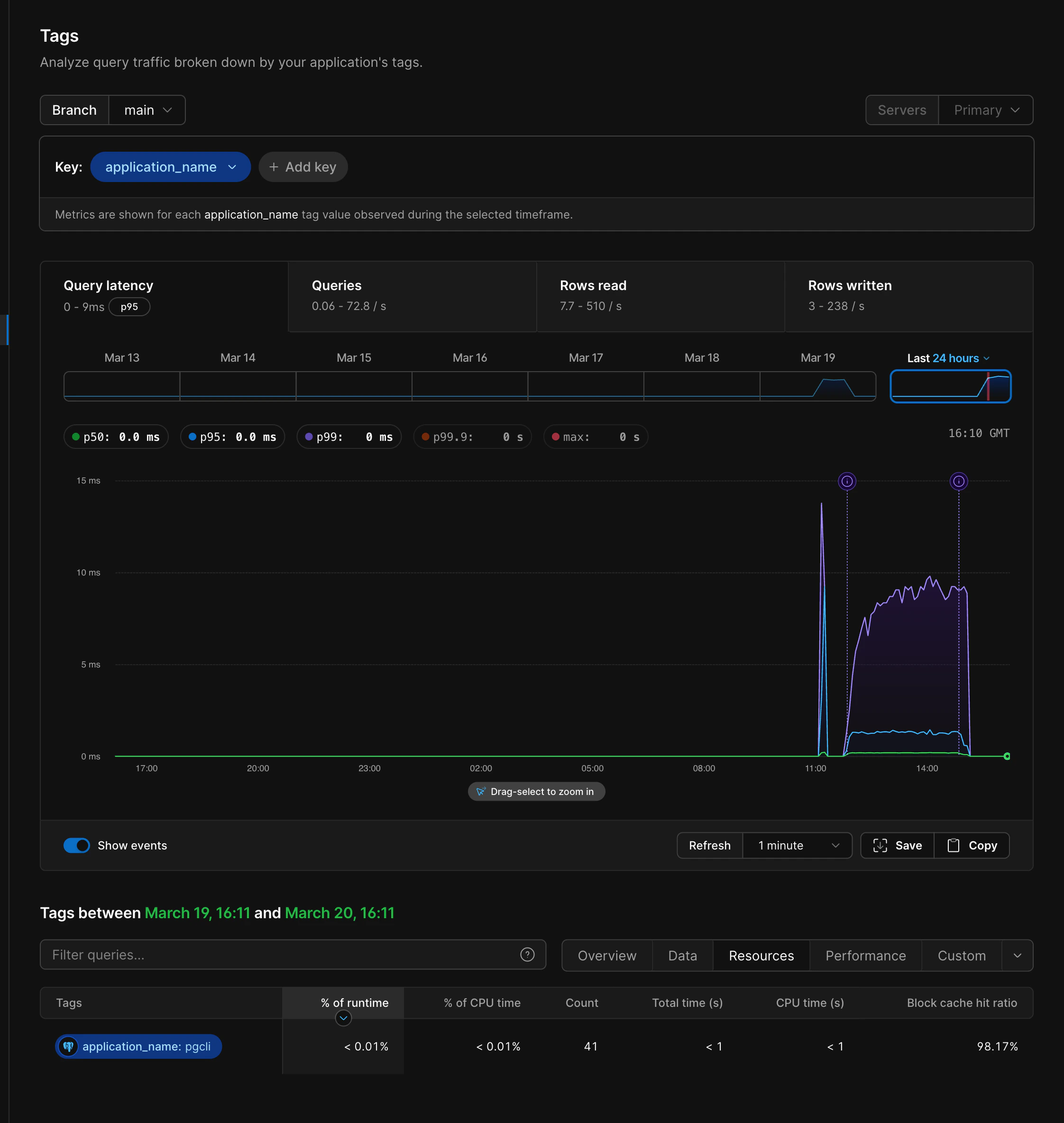
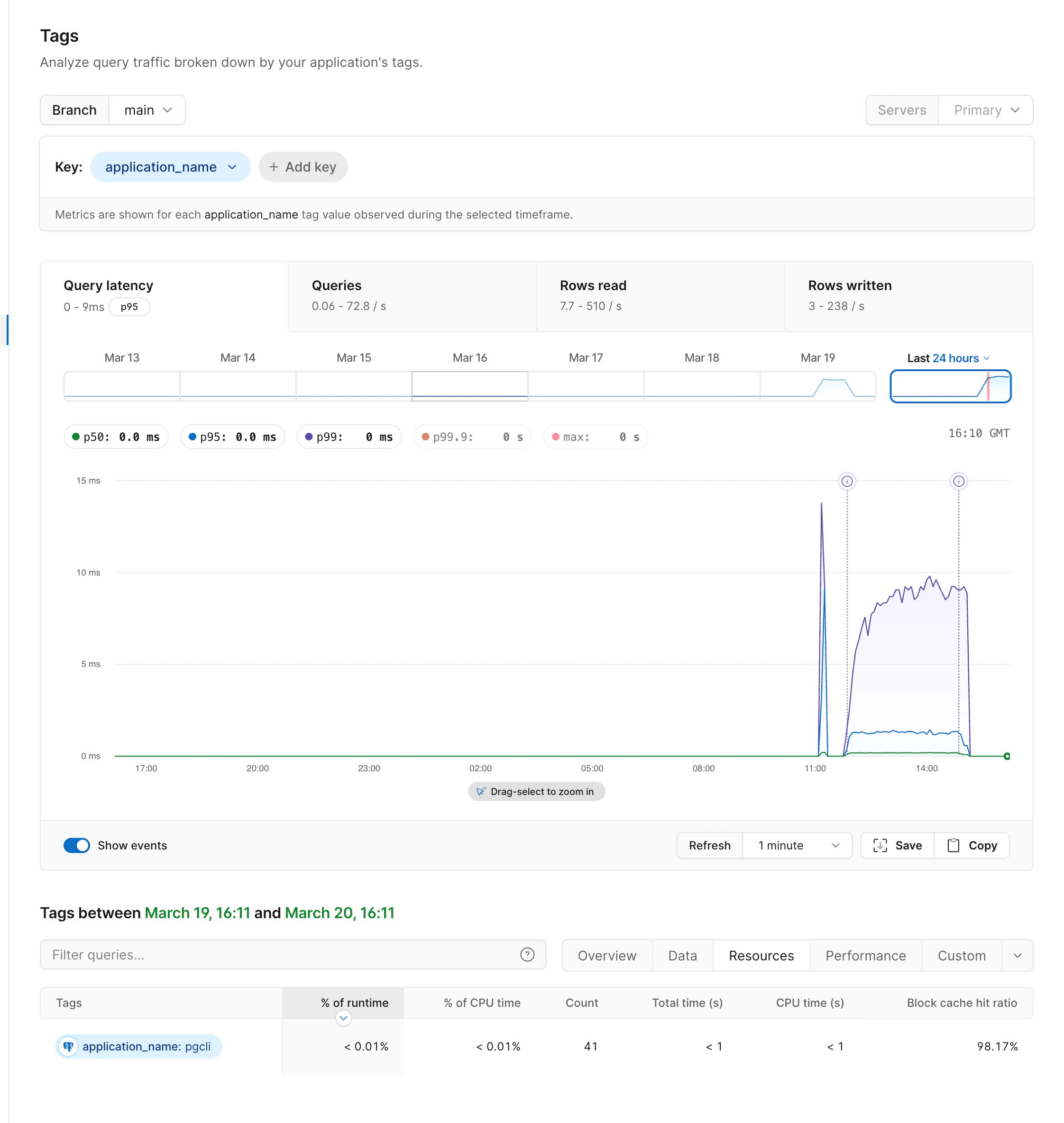
“Tags” is a top-level item under Insights. Select one or many key/value pairs to filter the performance data. Or see the tags of all queries within the currently selected time range. You can also see the tags associated with a query on the query details page (click on the query text from the list in Insights).Tag cardinality limits
You can attach tags with any cardinality. When a tag produces too many distinct values, PlanetScale may collapse the value to keep tag data usable in Insights. Tag values may be collapsed when either of these limits is exceeded:- Any query pattern has more than 20 values for the tag
- Any query pattern has more than 50 distinct combinations of tag values within a 15-second period
Collapsed in the query details page.
If you search for a tag with collapsed values, or open the Tags view for a tag with collapsed values, PlanetScale shows a warning with the percentage of results affected by collapsing.
Database Traffic Control
Tags can be used as matching criteria when creating resource budgets. A tag-based rule targets all queries that share a given tag, letting you set limits on traffic from a specific application, feature, or route without creating separate database users. See tag-based rules for details.Adding tags to your queries
There are two approaches to tagging queries: using an SQLCommenter integration that adds tags automatically, or appending tag comments manually.SQLCommenter integrations
The SQLCommenter project provides middleware and plugins for several frameworks and ORMs that automatically attach tags to every query:
Drizzle and Prisma support SQLCommenter natively.
These integrations typically inject framework-level context like the route, controller, and framework version. Some support adding custom key-value pairs.
Several popular ORMs and query builders used with PlanetScale do not have official SQLCommenter support, including Bun and Kysely. If you use one of these, see manual tagging below.
Manual tagging
If your ORM or query builder does not have an SQLCommenter plugin, you can append the tag comment directly to your SQL statements. The format is straightforward: add/*key='value'*/ before the semicolon.
Raw SQL
With a query builder
The exact mechanism for appending a comment varies by library. Some query builders support a comment or annotation option, while others require you to modify the SQL string directly. Check your library’s documentation for the best approach.
Encoding rules
When adding tags manually, follow these rules from the SQLCommenter specification:- URL-encode values that contain special characters. For example,
/api/exportbecomes%2Fapi%2Fexport. - Escape single quotes within values with a backslash:
name='O\'Brien'. - Sort key-value pairs lexicographically by key if you want to match the specification exactly, though PlanetScale does not require a specific order.
- After URL-decoding, keys and values must conform to PlanetScale’s allowed character set and byte limits.
Troubleshooting
Tags are not appearing in Insights
The most common cause is tag placement. Tags must appear before the semicolon. See the warning above for the correct format. If your tags are correctly placed and still not appearing:- Verify that your queries are being executed and appear in the Insights queries table
- Check that you are searching with the correct syntax:
tag:key:value(for example,tag:category:analytics)
ORM is stripping comments
Some ORMs and connection poolers may strip SQL comments before sending queries to the database. If you have added tags but they are not appearing:- Check whether your ORM has a setting to preserve SQL comments (for example, Django’s
DISABLE_SERVER_SIDE_CURSORSor specific comment-stripping options) - If you use a connection pooler like PgBouncer, verify that it is not configured to strip comments