

You can submit and vote for the extensions you want us to support next at ps-extensions.io.
Types of Extensions
PostgreSQL extensions generally fall into two main categories:Native Extensions
These are extensions that ship with PostgreSQL itself and are maintained by the PostgreSQL core team. Examples include:- Data type extensions:
citext,hstore,uuid-osspfor specialized data types - Index extensions:
btree_gin,btree_gistfor advanced indexing capabilities - Text search extensions:
unaccent,pg_trgmfor full-text search enhancements - Utility extensions:
pgcryptofor cryptographic functions,tablefuncfor table manipulation
Community Extensions
These are developed and maintained by the community or third-party organizations. Popular examples include:- Vector search:
pgvectorfor AI/ML vector operations - Query optimization:
pg_hint_planfor query plan hints - Partitioning:
pg_partmanfor automated table partitioning
Managing Extensions
Some extensions may require that you use a role with superuser privileges to enable them on your PlanetScale Postgres database. See supported extensions for more information.
Installing an Extension
To install an extension in your database, use theCREATE EXTENSION command:
Removing an Extension
To remove an extension from your database, use theDROP EXTENSION command:
Updating an Extension
To update an extension to a newer version, use theALTER EXTENSION command:
ALTER EXTENSION ... UPDATE can expose new options.
Viewing Installed Extensions
To see all extensions currently installed in your database, use this query:Installing Extensions in Specific Schemas
By default, extensions are installed in thepublic schema. To install an extension in a specific schema:
Not all extensions support being installed in non-public schemas. Most utility and data type extensions work fine, but some system-level extensions must remain in the public schema.
Configuring Extensions in the Dashboard
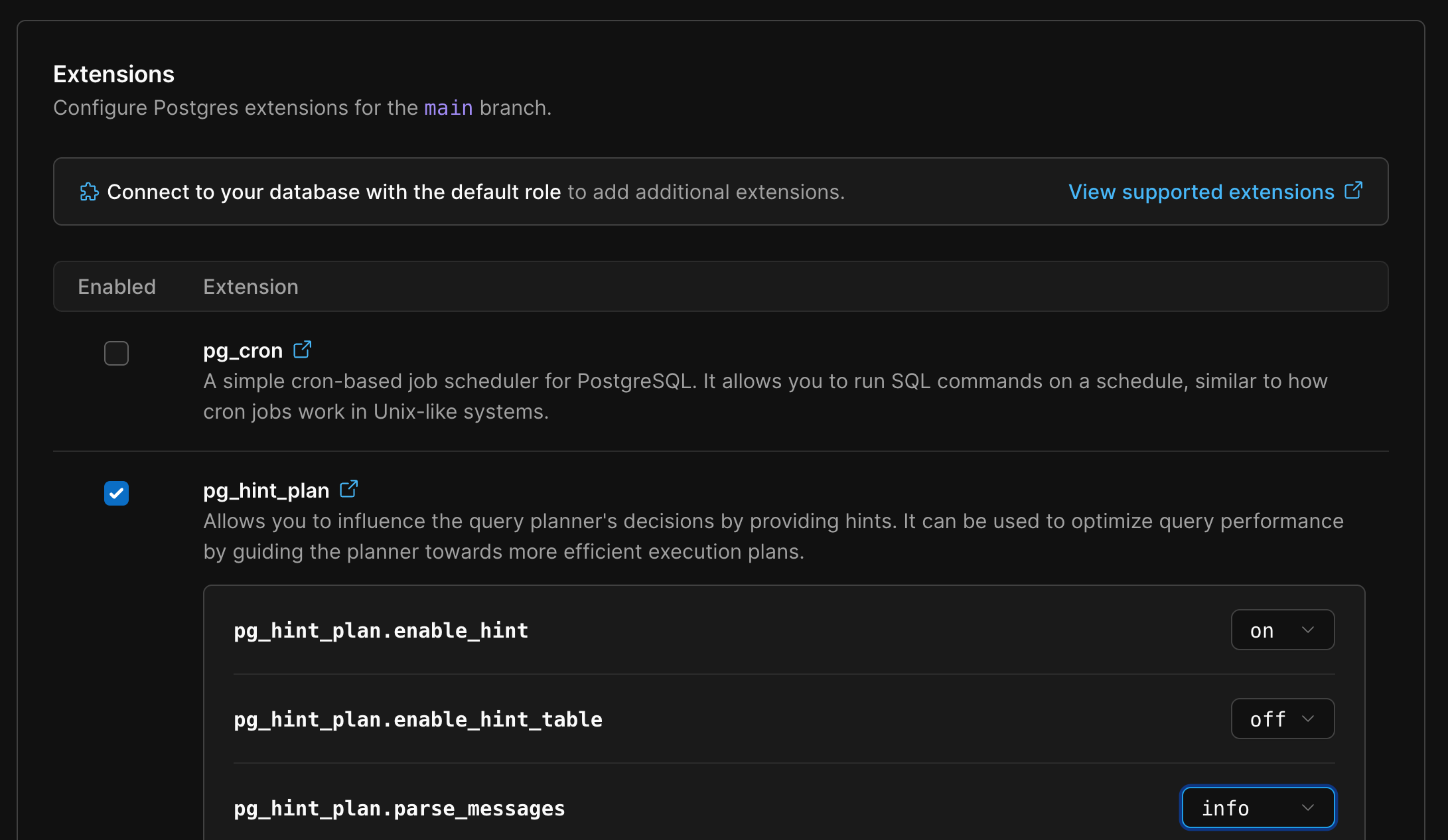
Production clusters, these reboots are applied in a rolling cadence through the cluster’s instances.
For detailed configuration instructions and parameter descriptions for each extension, please refer to their individual documentation pages via the 📝 links in the “Additional Notes” column.
Troubleshooting
Common Extension Issues
Extension not found
Permission denied
Extension already exists
CREATE EXTENSION IF NOT EXISTS extension_name; to avoid this error, or check installed extensions first.
Dependency conflicts
Supported Extensions
Table Column Legend
Newer Postgres versions ship with newer versions of extensions. When upgrading to a newer Postgres version, make sure to test your application for compatibility with those extension versions.*
- Extension: Extension name with link to official documentation
- Description: Brief description of extension functionality
- Version: Version number available in PlanetScale (or TBD if placeholder)
- Superuser required: ⭐ = Extension requires superuser privileges to use its functionality
- Restart required: ✅ = Must be enabled through PlanetScale dashboard first because the extension requires shared libraries and a restart (blank = install directly with
CREATE EXTENSION) - Additional Notes: 📝 = Link to detailed configuration documentation