> ## Documentation Index
> Fetch the complete documentation index at: https://planetscale.com/docs/llms.txt
> Use this file to discover all available pages before exploring further.
# Import public IP addresses
> When importing a database using our [Import tool](/docs/vitess/imports/database-imports), you need to grant a set of IP addresses access to your external MySQL database so that PlanetScale can make the connection.
## Overview
To import your external database into PlanetScale, you need to allowlist PlanetScale's IP addresses in your database firewall or security group. This lets PlanetScale connect to your database during the import process.
## Where to find your IP addresses
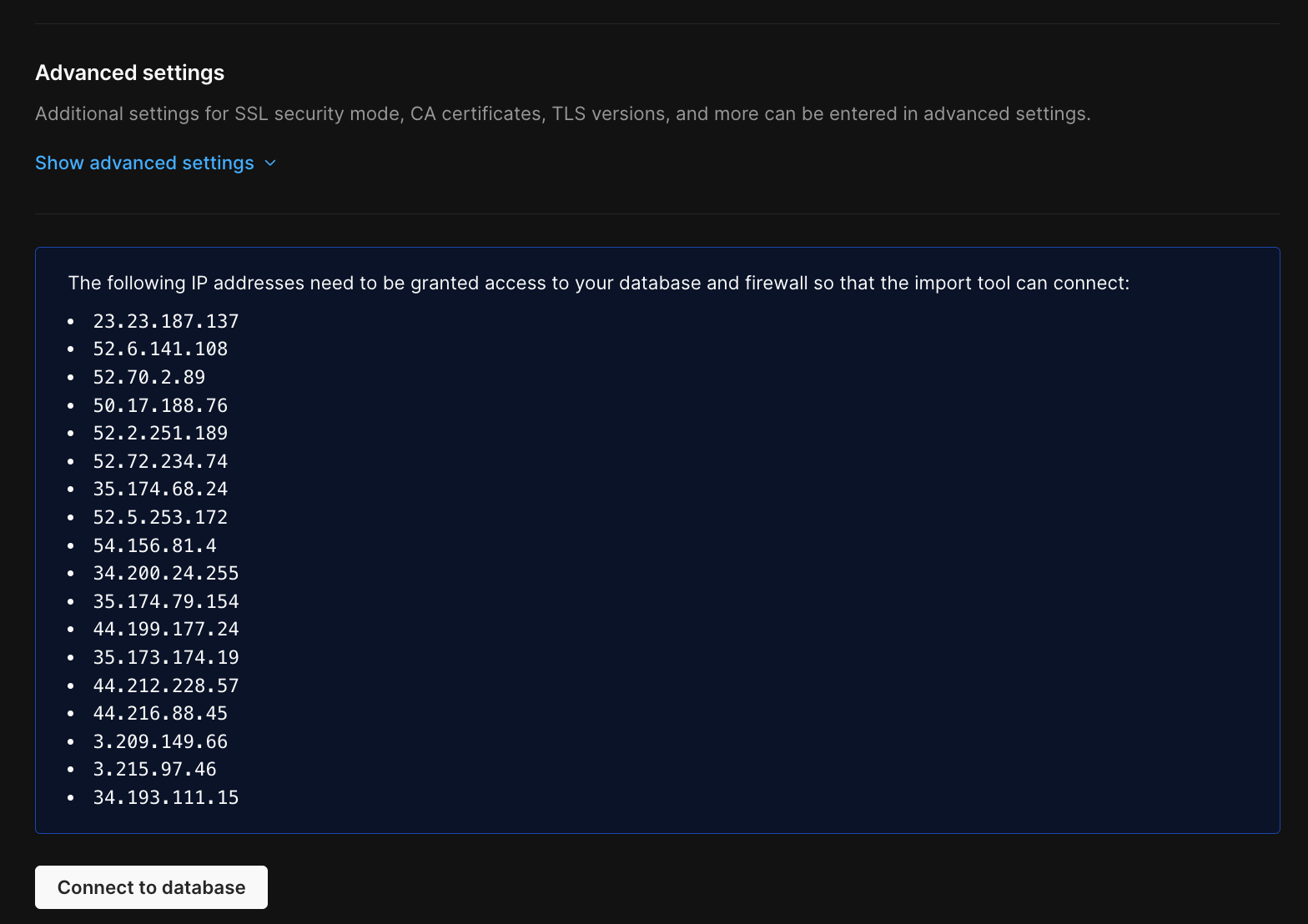
The IP addresses you need to allowlist are shown during the import workflow on the **Connect to external database** step. You'll see a blue info box on the connection page that lists all the IP addresses that need access to your external database.
 ## Provider-specific firewall guides
If PlanetScale detects that you're connecting to a known database provider (like Amazon RDS, Aurora, Azure, GCP Cloud SQL, or DigitalOcean), you'll also see a direct link to that provider's firewall configuration documentation.
## Important notes
* **Region-specific IPs** - The IP addresses differ by region. Make sure you're using the IPs shown for your selected region.
* **IPs may change** - IP addresses can change occasionally. Always use the IPs shown in the import workflow.
* **All IPs required** - You need to allowlist all the IP addresses shown, not just one.
This guide is meant to be used alongside the [Database Imports guide](/vitess/imports/database-imports) or one of the provider-specific migration guides.
## Need help?
Get help from [the PlanetScale Support team](https://planetscale.com/contact?initial=support), or join our [Discord community](https://pscale.link/community) to see how others are using PlanetScale.
## Provider-specific firewall guides
If PlanetScale detects that you're connecting to a known database provider (like Amazon RDS, Aurora, Azure, GCP Cloud SQL, or DigitalOcean), you'll also see a direct link to that provider's firewall configuration documentation.
## Important notes
* **Region-specific IPs** - The IP addresses differ by region. Make sure you're using the IPs shown for your selected region.
* **IPs may change** - IP addresses can change occasionally. Always use the IPs shown in the import workflow.
* **All IPs required** - You need to allowlist all the IP addresses shown, not just one.
This guide is meant to be used alongside the [Database Imports guide](/vitess/imports/database-imports) or one of the provider-specific migration guides.
## Need help?
Get help from [the PlanetScale Support team](https://planetscale.com/contact?initial=support), or join our [Discord community](https://pscale.link/community) to see how others are using PlanetScale.