> ## Documentation Index
> Fetch the complete documentation index at: https://planetscale.com/docs/llms.txt
> Use this file to discover all available pages before exploring further.
# Selecting a region
## Overview
PlanetScale currently offers database deployment for both Vitess and Postgres in multiple regions. Select the region closest to your application servers to reduce latency between your database and application. Deploy development branches in the region closest to your own location to reduce latency when working with the branch.
For Vitess databases, you may also add read-only regions to your production database. See our [Read-only regions documentation](/vitess/scaling/read-only-regions) for more information.
A number of resources exist to help find which region has the lowest latency from your location – such as [CloudPing](https://github.com/estahn/cloudping).
## Available regions
If you don't see your preferred region(s) in the following list, [get in touch](https://planetscale.com/contact) to let us know what region(s) you would like to see added. Also, Enterprise plans can be deployed in any region(s) with three availability zones. See the [Deployment options documentation](/plans/deployment-options#single-tenancy-highlights) for more information.
Currently, the following regions are supported, with their respective PlanetScale slugs:
### AWS regions
* AWS ap-northeast-1 (Tokyo) — `ap-northeast`
* AWS ap-south-1 (Mumbai) — `ap-south`
* AWS ap-southeast-1 (Singapore) — `ap-southeast`
* AWS ap-southeast-2 (Sydney) — `aws-ap-southeast-2`
* AWS ca-central-1 (Montreal) — `aws-ca-central-1`
* AWS eu-central-1 (Frankfurt) — `eu-central`
* AWS eu-west-1 (Dublin) — `eu-west`
* AWS eu-west-2 (London) — `aws-eu-west-2`
* AWS sa-east-1 (Sao Paulo) — `aws-sa-east-1`
* AWS us-east-1 (Northern Virginia) — `us-east`
* AWS us-east-2 (Ohio) — `aws-us-east-2`
* AWS us-west-2 (Oregon) — `us-west`
### GCP regions
* GCP us-central1 (Council Bluffs, Iowa) — `gcp-us-central1`
* GCP us-east4 (Ashburn, Virginia) — `gcp-us-east4`
* GCP northamerica-northeast1 (Montréal, Québec, Canada) — `gcp-northamerica-northeast1`
* GCP asia-northeast3 (Seoul, South Korea) — `gcp-asia-northeast3`
* GCP us-east1 (Moncks Corner, South Carolina) — `gcp-us-east1`
* GCP europe-west1 (St Ghislain, Belgium) — `gcp-europe-west1`
* GCP europe-west4 (Eemshaven, Netherlands) — `gcp-europe-west4`
## Selecting the database region
PlanetScale allows you to select the region for the default branch of your database during database creation. By default, all database branches created within this database will also be created in this region. Once you select a region for your default branch, it cannot be changed directly, but you can [migrate to a new region](#changing-branch-and-database-regions) if needed.
You can also select the region while creating a database via the CLI by using
the `--region` flag with the region's slug.
The default region for all new databases is AWS us-east-2.
Here's an example command for creating a database with a different region:
```shell theme={null}
pscale database create --region us-west
```
## Selecting the branch region
PlanetScale allows you to select a region for development branches during
creation as well. By default, it is set to the same region as its database.
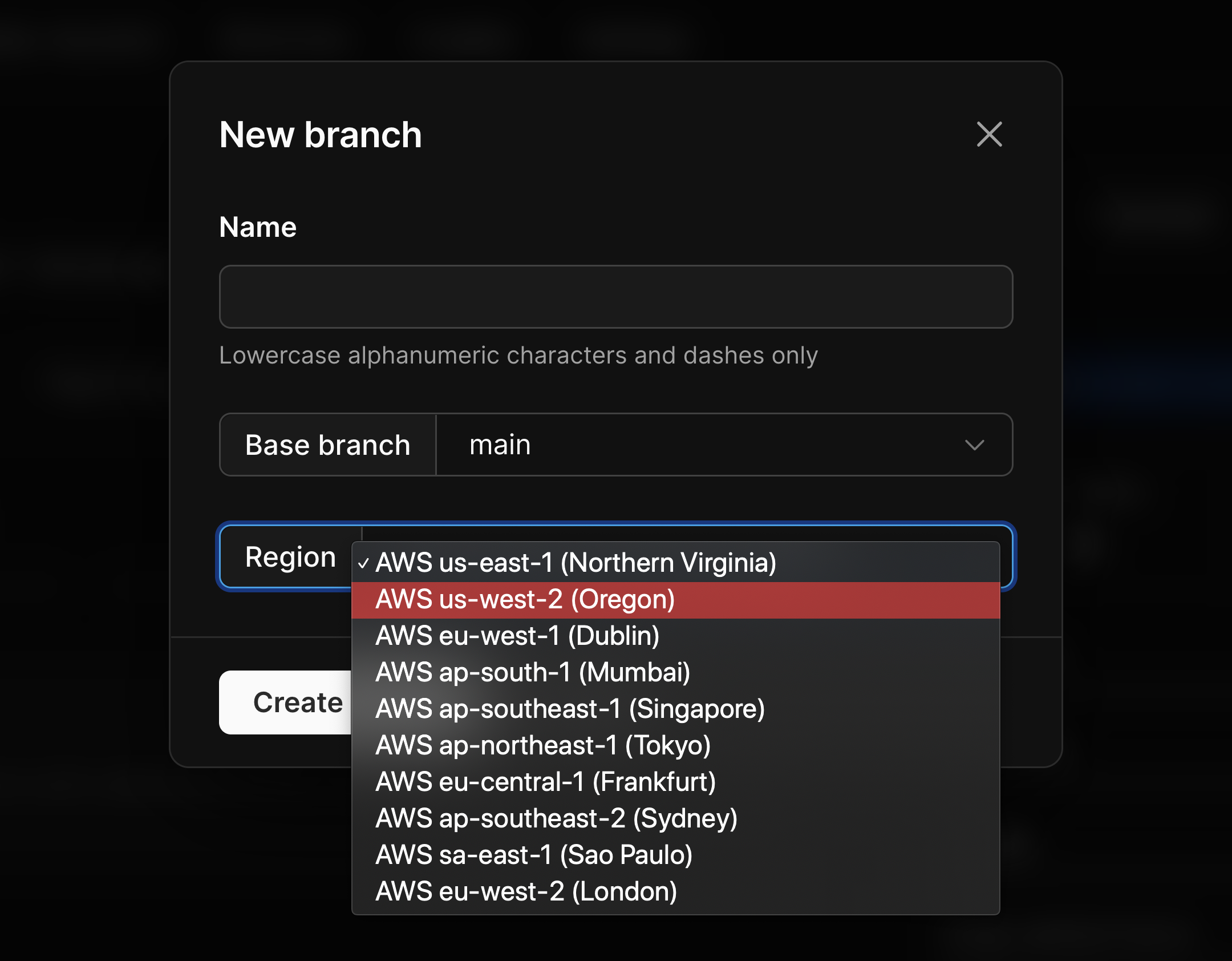 Once you select a branch region, it cannot be changed.
You can also select the region while creating a branch via the CLI by using the
`--region` flag with the region's slug.
Here's an example command for creating a branch with a different region:
```shell theme={null}
pscale branch create my-production-database add-tables --region eu-west
```
## Restricting the branch regions
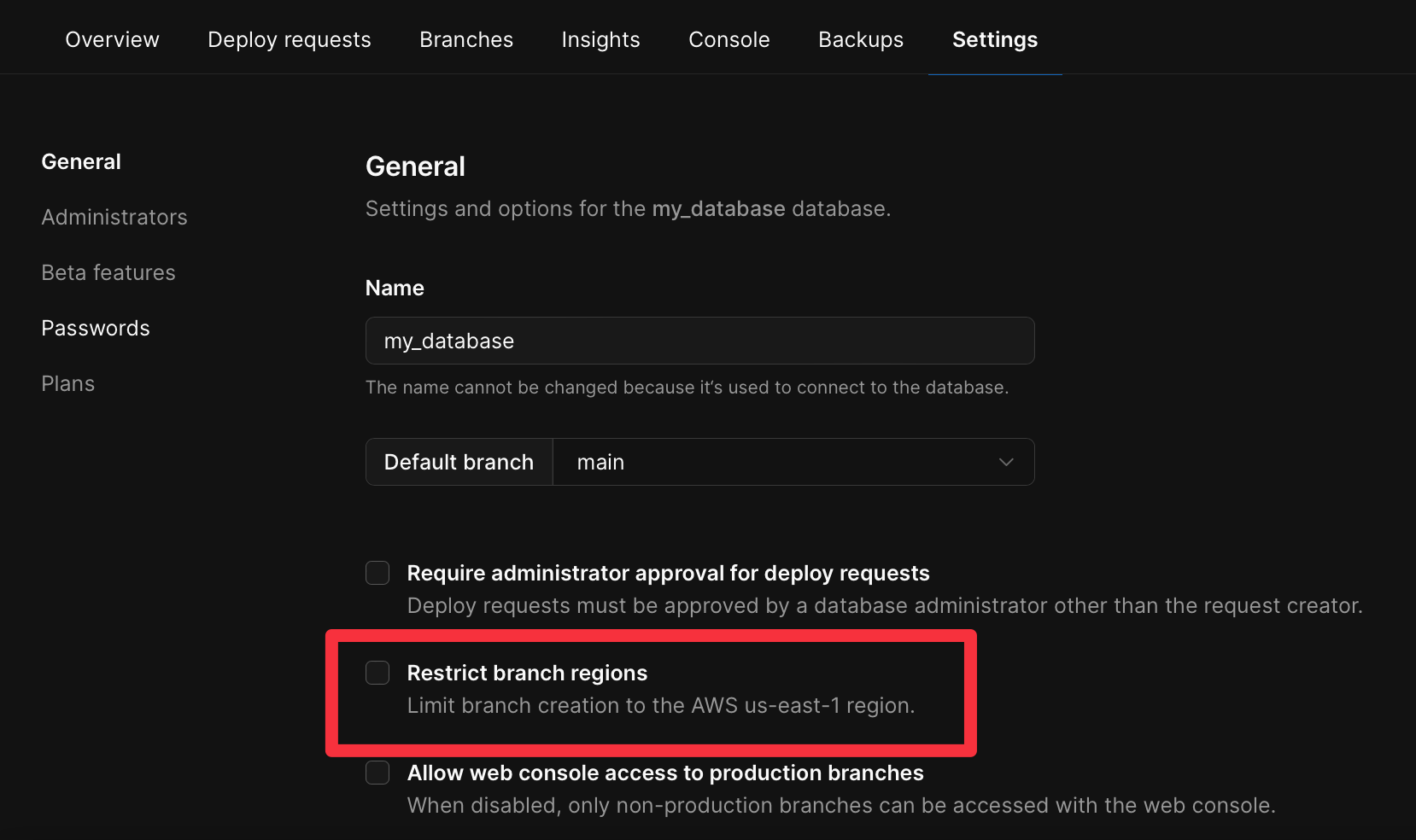
[Organization Administrators](/security/access-control#organization-administrator) can restrict branches to only being created in the same region as the one selected during database creation. To enable this setting, check the *Restrict region* setting in the settings page for the database: `app.planetscale.com///settings`.
Once you select a branch region, it cannot be changed.
You can also select the region while creating a branch via the CLI by using the
`--region` flag with the region's slug.
Here's an example command for creating a branch with a different region:
```shell theme={null}
pscale branch create my-production-database add-tables --region eu-west
```
## Restricting the branch regions
[Organization Administrators](/security/access-control#organization-administrator) can restrict branches to only being created in the same region as the one selected during database creation. To enable this setting, check the *Restrict region* setting in the settings page for the database: `app.planetscale.com///settings`.
 ## Changing branch and database regions
Once you select a region for a production or development branch, it cannot be changed.
If you do need to move to a different region, we recommend taking the following steps:
Create a new branch in the new region.
[Backup and dump](/cli/database) the original branch with:
```bash theme={null}
pscale database dump
```
Restore the dump to the new branch with:
```bash theme={null}
pscale database restore-dump
```
If this is for a production branch, [promote the new branch](/cli/branch) to production:
```bash theme={null}
pscale branch promote
```
Swap out the credentials in your app with the new branch.
It's important to note that this will require downtime if done on a production branch, as the dump and restore process will take time to complete. To avoid data loss, you can temporarily block writes in your application before doing the dump, and re-enable them after the final credential swap.
## Need help?
Get help from [the PlanetScale Support team](https://planetscale.com/contact?initial=support), or join our [Discord community](https://pscale.link/community) to see how others are using PlanetScale.
## Changing branch and database regions
Once you select a region for a production or development branch, it cannot be changed.
If you do need to move to a different region, we recommend taking the following steps:
Create a new branch in the new region.
[Backup and dump](/cli/database) the original branch with:
```bash theme={null}
pscale database dump
```
Restore the dump to the new branch with:
```bash theme={null}
pscale database restore-dump
```
If this is for a production branch, [promote the new branch](/cli/branch) to production:
```bash theme={null}
pscale branch promote
```
Swap out the credentials in your app with the new branch.
It's important to note that this will require downtime if done on a production branch, as the dump and restore process will take time to complete. To avoid data loss, you can temporarily block writes in your application before doing the dump, and re-enable them after the final credential swap.
## Need help?
Get help from [the PlanetScale Support team](https://planetscale.com/contact?initial=support), or join our [Discord community](https://pscale.link/community) to see how others are using PlanetScale.