> ## Documentation Index
> Fetch the complete documentation index at: https://planetscale.com/docs/llms.txt
> Use this file to discover all available pages before exploring further.
# Cluster sizing
> Choose and change configuration-profile, admin, and router sizes for a Neki database.
Neki separates the Postgres instances that store data, the admin service that
monitors and repairs clusters, and the routers that receive application
connections. These layers are independently sized.
Size and configuration are not shared across these layers:
| Setting | What it sizes |
| ------------------------------ | ---------------------------------------------------------------------------------- |
| **Configuration-profile size** | Postgres primary and any configured replicas in each shard assigned to the profile |
| **Admin size** | The Neki admin-service instances for the branch |
| **Router size** | Every router instance in the selected router group |
## Choose a configuration-profile size
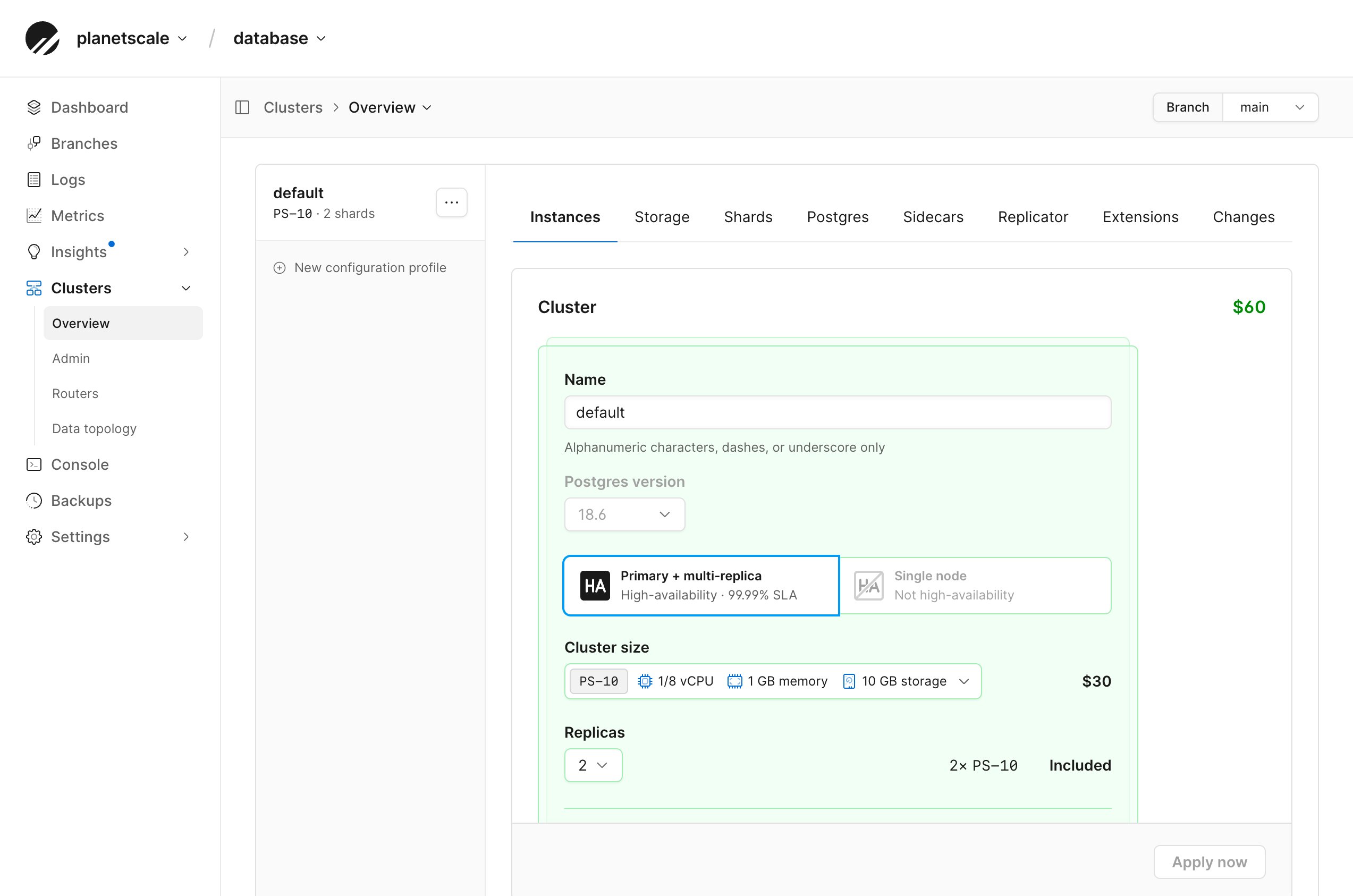
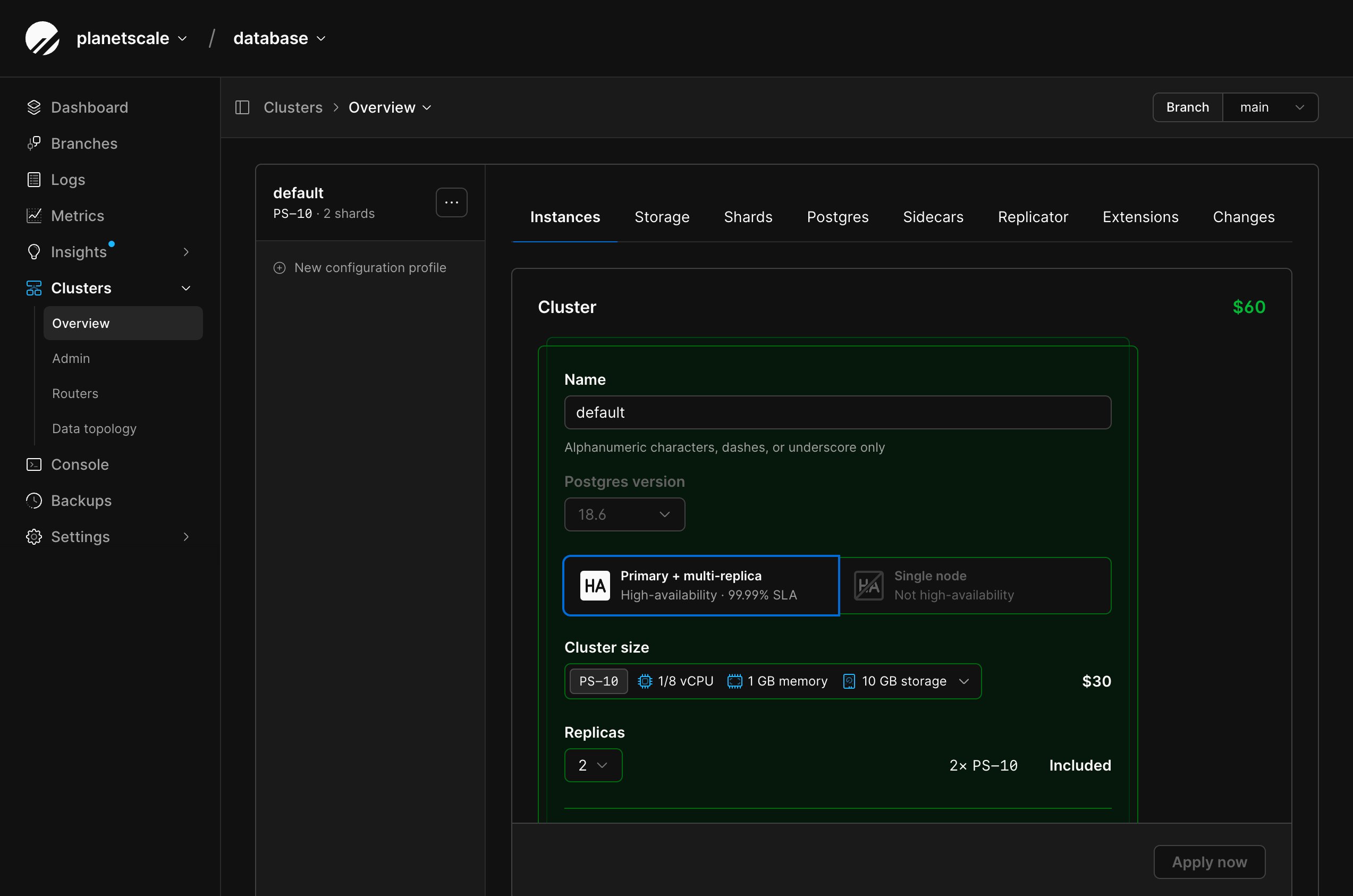
Open a configuration profile's **Instances** tab to compare the cluster sizes
available for the selected branch. The size menu shows the vCPU, memory,
storage, and estimated price of each option.
The available choices depend on the branch's infrastructure, region, and the
sizes enabled for your organization. Use
the dashboard as the source of truth for the sizes and prices currently
available to a profile. You can also list cluster sizes with
`pscale size cluster list --engine neki`.
### Network-attached storage and Metal
The cluster-size menu separates network-attached storage and Metal options.
| Option | Storage and availability |
| ---------------------------- | ------------------------------------------------------------------------------------------------------------------------------------------------ |
| **Network-attached storage** | Uses configurable network-attached storage billed separately from compute. The dashboard shows the storage type, usage, and applicable estimate. |
| **Metal** | Uses fixed-capacity, locally attached NVMe storage with unlimited IOPS. Metal requires a primary with replicas. |
Metal sizes have fixed storage capacity. The dashboard checks current storage
usage and disables sizes that do not leave the required storage margin.
Use the profile's **Storage** tab to configure network-attached storage disk
capacity, autoscaling, IOPS, and bandwidth. See [Configure profile
storage](/docs/neki/cluster-configuration#configure-profile-storage).
The CPU architecture of an existing configuration profile cannot be changed.
The dashboard only lists compatible sizes when you update the profile.
 ## Size profiles for their assigned shards
Every shard assigned to a profile receives the same cluster size and replica
count, but each shard can have a different workload. Compare the Postgres
[metrics](/docs/neki/monitoring/metrics) for the assigned shards before changing the
profile:
* Review CPU, memory, IOPS, storage, connections, and WAL activity.
* Size the profile for the shard with the greatest resource requirements.
* Check whether uneven utilization comes from the workload or
[data topology](/docs/neki/data-topology) before adding capacity.
If one shard consistently needs a different size, create a compatible profile
for that shard and [assign the shard to it](/docs/neki/cluster-configuration#assign-shards-to-another-profile).
This avoids resizing unrelated shards.
Replica count is configured separately from cluster size. Production
configuration profiles are highly available and include one primary and two
replicas. See [Database replicas](/docs/neki/replicas) when adding capacity for
replica reads.
## Change a configuration profile
Changing the Instances settings affects every shard assigned to the profile.
Review the profile's **Shards** tab and the estimated monthly cost before
applying the change.
From the PlanetScale dashboard, select your Neki database and branch.
Open **Clusters** and select the configuration profile.
Select **Instances**.
Choose the cluster size and replica count.
Review the estimated monthly cost, then select **Apply now**.
Use the profile's **Changes** tab to follow the change and review any parameter defaults updated by the new size.
PlanetScale applies the change asynchronously. Wait for it to complete before
making a dependent configuration change.
Some Postgres parameter defaults depend on the profile's resources. When the
size changes, PlanetScale updates resource-dependent defaults while preserving
manually configured values unless the new configuration requires a different
valid range. See [Configuration parameters](/docs/neki/cluster-configuration/parameters#defaults-and-profile-changes).
### Profiles without shards
Creating a configuration profile does not create Postgres instances. A new
profile starts with no assigned shards, so its current profile total is zero.
The creation form shows the estimated cost per shard that would apply after a
shard is created in or assigned to the profile.
## Size the admin service independently
Changing the admin size does not change the Postgres resources assigned to a
shard or the size of any router.
The available admin sizes are **NKA-0**, **NKA-1**, **NKA-2**, **NKA-5**,
**NKA-20**, and **NKA-40**. A new Neki cluster uses **NKA-0** by default;
change the size after creation from the branch's Admin configuration. Use the
dashboard as the source of truth for the sizes currently available to your
branch. You can also list admin SKUs with
`pscale branch admin sizes `.
The size you select establishes Admin's baseline capacity. PlanetScale
automatically increases Admin memory when it needs more capacity. Choose a
larger size when the branch needs more capacity available immediately for
cluster-health and recovery work.
Admin capacity is separate from application query capacity. Increasing the
Admin size does not add router throughput, Postgres CPU or memory, replicas, or
shards. Size those resources separately. Admin is not billed during Platform
Preview; see [what appears on the bill](/docs/neki/pricing#what-appears-on-the-bill).
From the selected Neki branch, open **Clusters**, then select **Admin**.
Select **Configuration**.
Choose an **Admin size**, then select **Apply now**.
Use the **Changes** tab to follow the change.
PlanetScale applies the change asynchronously. The same change can also update
the admin's health-check and recovery parameters. See [Configuration
parameters](/docs/neki/cluster-configuration/parameters#configure-admin-parameters).
## Size routers independently
Router groups have their own sizes and replica counts. Changing a router does
not change the Postgres resources assigned to any shard.
## Size profiles for their assigned shards
Every shard assigned to a profile receives the same cluster size and replica
count, but each shard can have a different workload. Compare the Postgres
[metrics](/docs/neki/monitoring/metrics) for the assigned shards before changing the
profile:
* Review CPU, memory, IOPS, storage, connections, and WAL activity.
* Size the profile for the shard with the greatest resource requirements.
* Check whether uneven utilization comes from the workload or
[data topology](/docs/neki/data-topology) before adding capacity.
If one shard consistently needs a different size, create a compatible profile
for that shard and [assign the shard to it](/docs/neki/cluster-configuration#assign-shards-to-another-profile).
This avoids resizing unrelated shards.
Replica count is configured separately from cluster size. Production
configuration profiles are highly available and include one primary and two
replicas. See [Database replicas](/docs/neki/replicas) when adding capacity for
replica reads.
## Change a configuration profile
Changing the Instances settings affects every shard assigned to the profile.
Review the profile's **Shards** tab and the estimated monthly cost before
applying the change.
From the PlanetScale dashboard, select your Neki database and branch.
Open **Clusters** and select the configuration profile.
Select **Instances**.
Choose the cluster size and replica count.
Review the estimated monthly cost, then select **Apply now**.
Use the profile's **Changes** tab to follow the change and review any parameter defaults updated by the new size.
PlanetScale applies the change asynchronously. Wait for it to complete before
making a dependent configuration change.
Some Postgres parameter defaults depend on the profile's resources. When the
size changes, PlanetScale updates resource-dependent defaults while preserving
manually configured values unless the new configuration requires a different
valid range. See [Configuration parameters](/docs/neki/cluster-configuration/parameters#defaults-and-profile-changes).
### Profiles without shards
Creating a configuration profile does not create Postgres instances. A new
profile starts with no assigned shards, so its current profile total is zero.
The creation form shows the estimated cost per shard that would apply after a
shard is created in or assigned to the profile.
## Size the admin service independently
Changing the admin size does not change the Postgres resources assigned to a
shard or the size of any router.
The available admin sizes are **NKA-0**, **NKA-1**, **NKA-2**, **NKA-5**,
**NKA-20**, and **NKA-40**. A new Neki cluster uses **NKA-0** by default;
change the size after creation from the branch's Admin configuration. Use the
dashboard as the source of truth for the sizes currently available to your
branch. You can also list admin SKUs with
`pscale branch admin sizes `.
The size you select establishes Admin's baseline capacity. PlanetScale
automatically increases Admin memory when it needs more capacity. Choose a
larger size when the branch needs more capacity available immediately for
cluster-health and recovery work.
Admin capacity is separate from application query capacity. Increasing the
Admin size does not add router throughput, Postgres CPU or memory, replicas, or
shards. Size those resources separately. Admin is not billed during Platform
Preview; see [what appears on the bill](/docs/neki/pricing#what-appears-on-the-bill).
From the selected Neki branch, open **Clusters**, then select **Admin**.
Select **Configuration**.
Choose an **Admin size**, then select **Apply now**.
Use the **Changes** tab to follow the change.
PlanetScale applies the change asynchronously. The same change can also update
the admin's health-check and recovery parameters. See [Configuration
parameters](/docs/neki/cluster-configuration/parameters#configure-admin-parameters).
## Size routers independently
Router groups have their own sizes and replica counts. Changing a router does
not change the Postgres resources assigned to any shard.
 Use router [CPU utilization, query rate, latency, and error
metrics](/docs/neki/monitoring/metrics#router-metrics) to evaluate the router layer.
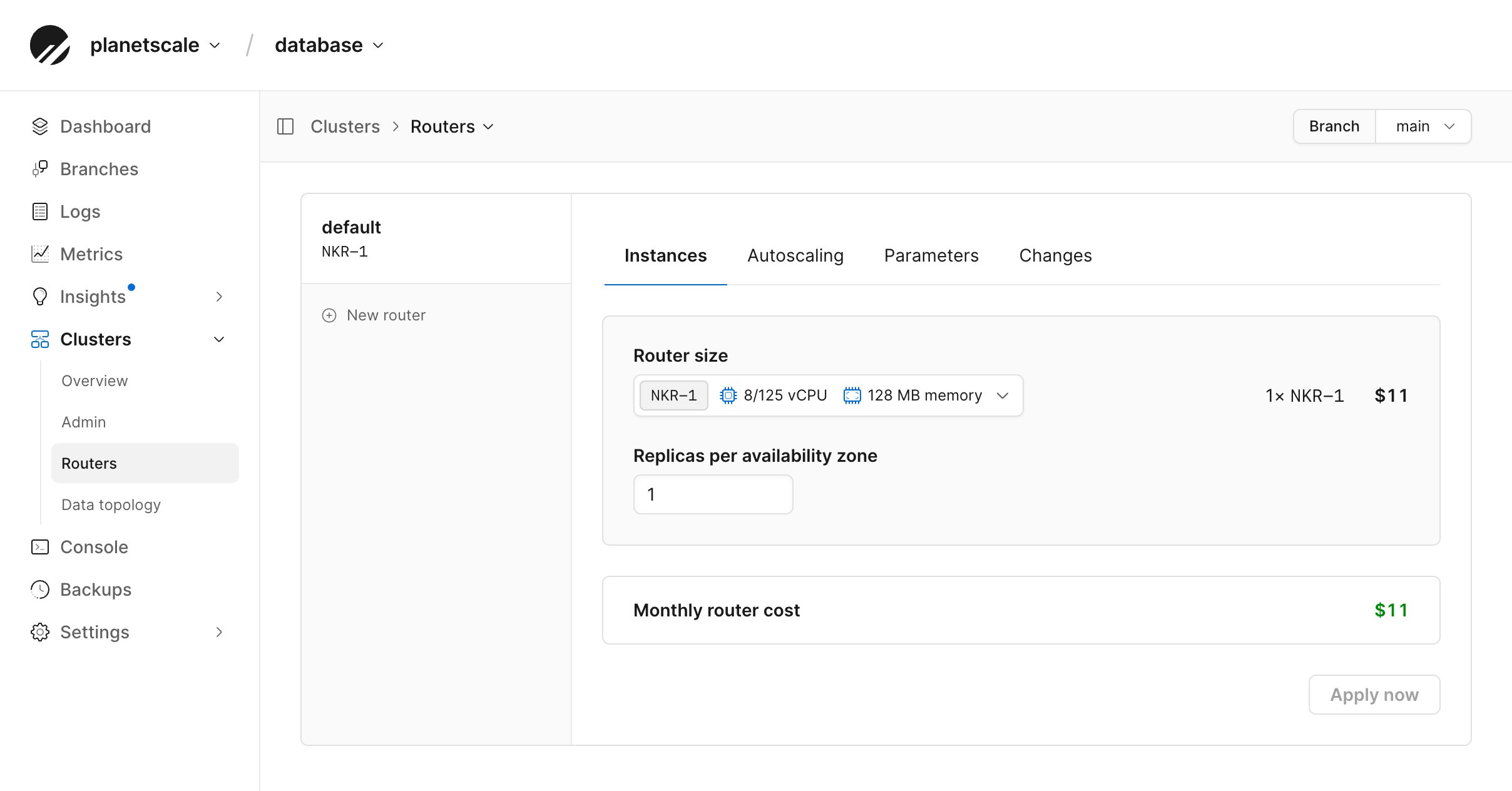
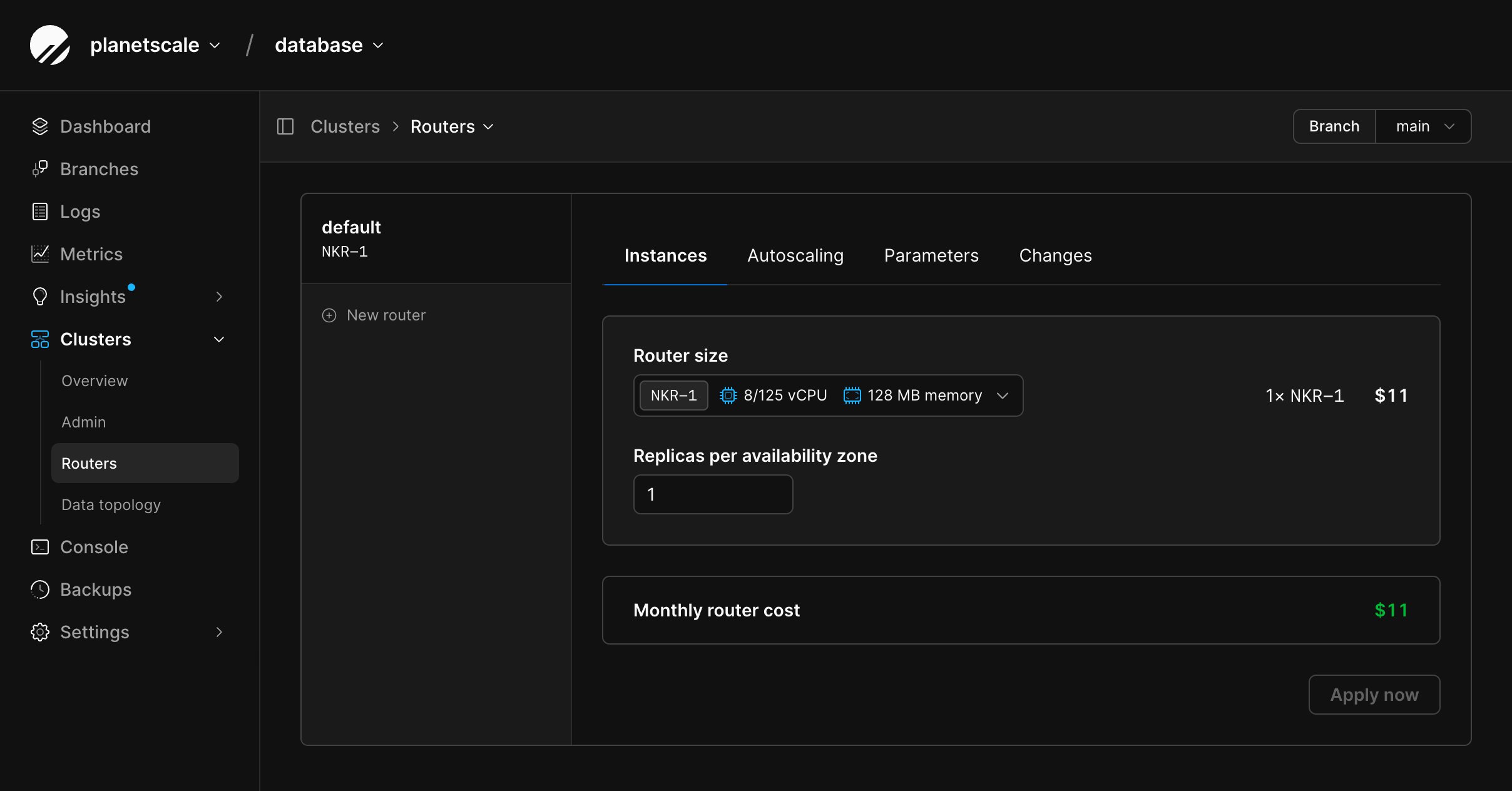
The router-size menu shows the vCPU, memory, and estimated price of each
available option. You can also list router SKUs with
`pscale branch router sizes `.
From the selected Neki branch, open **Clusters**, then select **Routers**.
Select the router group, then select **Instances**.
Choose a router size and the number of replicas per availability zone.
Review the estimated monthly cost, then select **Apply now**.
Use the router group's **Changes** tab to follow the change.
When horizontal autoscaling is enabled, configure the target CPU utilization
and minimum and maximum replicas per availability zone from the
**Autoscaling** tab. Autoscaling manages the replica count; the **Instances**
tab continues to control the size of each router instance.
## Need help?
Get help from [the PlanetScale Support team](https://planetscale.com/contact?initial=support), or join our [Discord community](https://pscale.link/community) to see how others are using PlanetScale.
Use router [CPU utilization, query rate, latency, and error
metrics](/docs/neki/monitoring/metrics#router-metrics) to evaluate the router layer.
The router-size menu shows the vCPU, memory, and estimated price of each
available option. You can also list router SKUs with
`pscale branch router sizes `.
From the selected Neki branch, open **Clusters**, then select **Routers**.
Select the router group, then select **Instances**.
Choose a router size and the number of replicas per availability zone.
Review the estimated monthly cost, then select **Apply now**.
Use the router group's **Changes** tab to follow the change.
When horizontal autoscaling is enabled, configure the target CPU utilization
and minimum and maximum replicas per availability zone from the
**Autoscaling** tab. Autoscaling manages the replica count; the **Instances**
tab continues to control the size of each router instance.
## Need help?
Get help from [the PlanetScale Support team](https://planetscale.com/contact?initial=support), or join our [Discord community](https://pscale.link/community) to see how others are using PlanetScale.